I Had 1,790 Agent Skill Files. That Was Not Leverage.


I ran a dumb command and immediately regretted it.
1find "$HOME/.claude" -iname "SKILL.md" | wc -l
2# 74
Seventy-four skills in Claude was already too many for me to reason about.
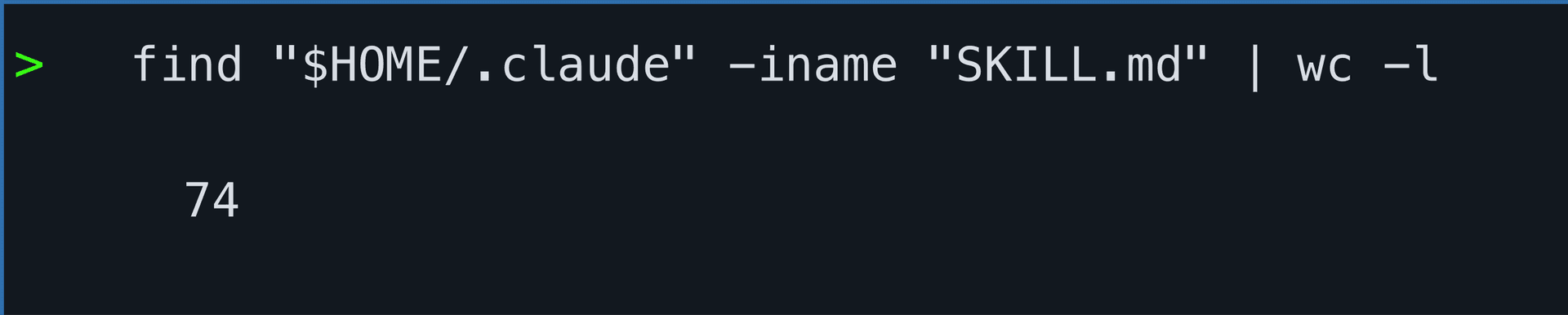
Claude alone had 74 SKILL.md files.
Then I checked Codex and the local agent folders.
1find ~/.codex ~/.agents -name SKILL.md | wc -l
2# 1790
Codex and local agent roots were worse: 1790 skill files.
That is the moment the setup stopped feeling like leverage and started feeling like infrastructure debt.
Agent skills are great until you no longer know which ones your agent is reading.
The uncomfortable bit
This is not a storage problem. Markdown files are cheap.
It is a control problem.
If you cannot tell what is installed, what overlaps, what is broken, and what is safe to remove, then your skills folder has become another system you do not understand.
And if you “clean it up” by deleting whatever looks old, you are going to break something you only notice two weeks later.
The bad cleanup script writes itself
1find ~/.claude ~/.codex ~/.agents -name SKILL.md
2# sort by modified date
3# delete the old-looking ones
4# feel productive for ten minutes
This feels reasonable. It is not.
- Old does not mean unused.
- Large does not mean bad.
- Missing from recent logs does not mean never used.
- Plugin cache folders can look chaotic while being completely intentional.
The failure case is not “the report was noisy”. The failure case is “I deleted a skill I still depended on”.
So I built a tool that refuses to be clever
I called it skill-library-pruner.
The point is not to guess what to delete. The point is to make deletion boring enough that I can trust the process.
I put the code here: github.com/Trkzi-Omar/prune-skills.
1audit -> snapshot -> quarantine -> observe -> restore or purgeThat is the whole product. No magic. No vibes. No “AI decided these are stale”.
The audit had to get smaller
The first version showed too much.
Age tables. Large-skill rankings. Metadata notes. Usage hints. Technically useful. Product-wise, noisy.
The default audit now only shows the signals I trust on a first pass:
- How many skills exist?
- Are any skill names duplicated?
- Are any skills missing frontmatter?
- Are any skills missing descriptions?
1bash scripts/audit.sh --all-agents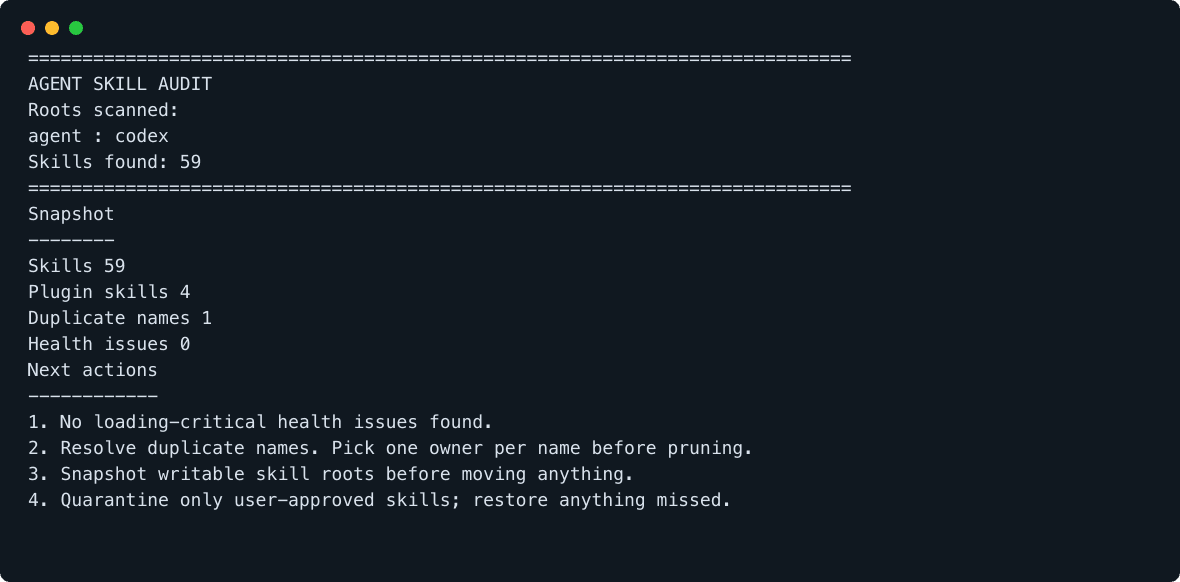
The fix was not more output. The fix was fewer, better signals.
Duplicate names can confuse routing. Missing frontmatter and descriptions can break loading or triggering. Those are real problems.
Everything else is a drill-down, not a default.
The guardrail is quarantine
Before moving anything, snapshot the root.
1bash scripts/prune.sh snapshot ~/.claude/skillsThen quarantine. Do not delete.
1bash scripts/prune.sh quarantine ~/.claude/skills/some-skillA quarantined skill leaves the load path, but it still exists on disk with a manifest saying where it came from.
If I miss it, I restore it.
1bash scripts/prune.sh restore some-skillOnly after living without it do I purge it.
1bash scripts/prune.sh purge
2bash scripts/prune.sh purge --yes
What I removed from the main path
The funny thing is that the tool got better when I removed features.
- Usage scanning became optional.
- Age tables stayed behind a flag.
- Large-skill rankings became a drill-down.
- Metadata notes stopped pretending to be health issues.
Less surface area. Fewer false positives. Better decisions.
My takeaway
Agent tooling does not always need more autonomy (yes !).
Sometimes it needs a line in the sand: this tool may inspect, this tool may move, this tool may restore, and this tool may not delete without explicit confirmation.
That is why I built skill-library-pruner.
Reminds me of getting rid of old items that you know you aren't using but are thinking, "one day I may need it". Meanwhile, it is just sitting there taking up more rent space than it's worth.
It's open source, so feel free to use it and LMK waht you think!
Share this article
Send it to someone who would use the context.
Add your perspective
The thread is stored in GitHub Discussions through Giscus, so the conversation stays portable, moderated on GitHub, and visually aligned with this site.
Loading comments connects to GitHub and may use third-party storage in your browser.